
How to support your new website after launch
Activities to support your newly launched website
After launch, it is helpful to create some early activity around your website. This can include sharing it with customers, staff, suppliers, contacts and people in your network.
Below are some simple things you can do to help support your new website.
1. Check that your website forms work
After your website goes live, test all important forms.
It is also a good idea to test forms again from time to time, especially after website updates, plugin updates, email system update or email changes.
After your website goes live, test all important forms.
It is also a good idea to test forms again from time to time, especially after website updates, plugin updates, email system update or email changes.
2. Update your email signature
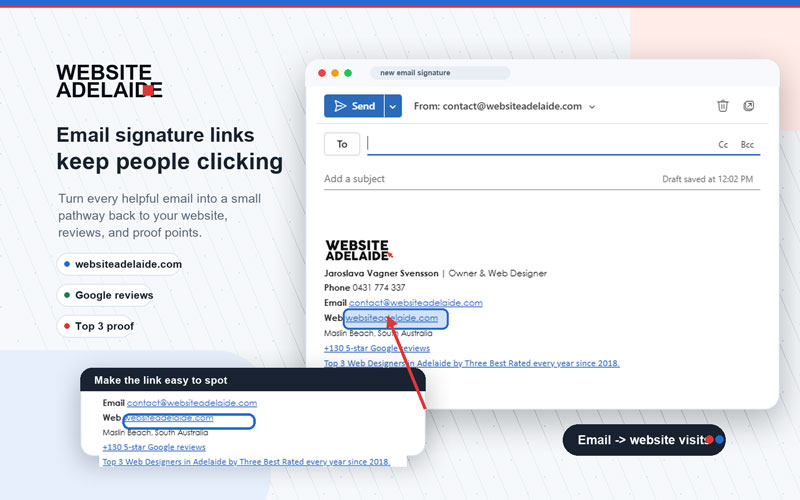
Add your new website link to all business email signatures. Make sure the website address is clickable, not just plain text.
For example: Visit our website: www.websiteadelaide.com.au
This makes it easy for customers, suppliers and contacts to visit your website directly from your emails.
Make sure all your business social media accounts link to your new website.
Check platforms such as:
- YouTube
- TikTok
- Any other platforms your business uses
Update the website link in your profile, bio, about section, contact details and call-to-action buttons.
Active and consistent business profiles help people find your business in more than one place. They also support trust.
When your business name, website, phone number and details are consistent across Google, directories and social media platforms, it helps show that your business is real, active and easy to contact.
It also shows that you are not relying only on your website to be found. You are creating a stronger online presence, which can help customers feel more confident about contacting you.
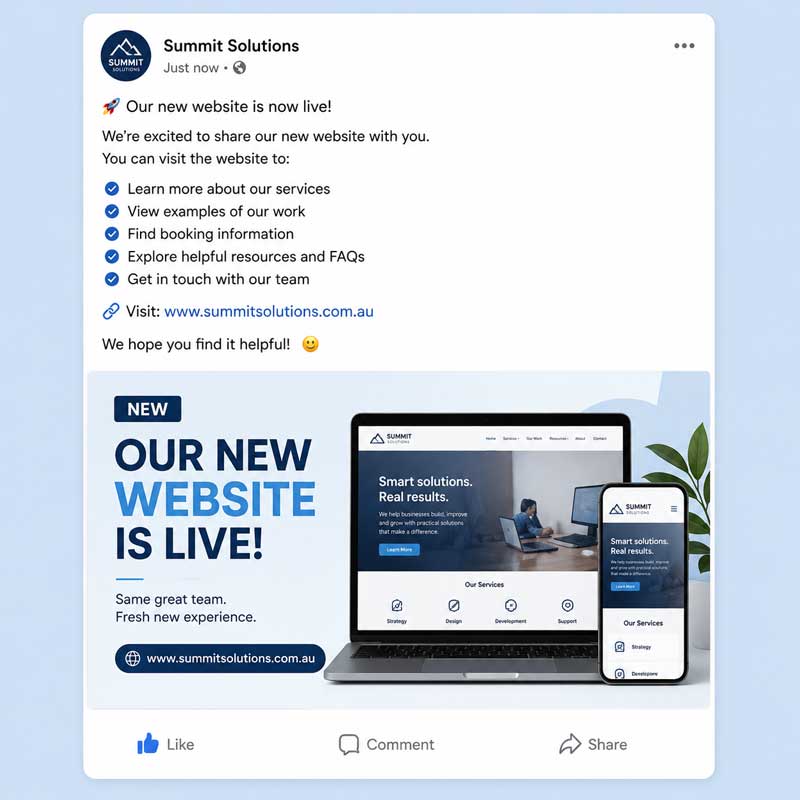
Create a simple post announcing that your new website is live.
Mention what people can find on the website, such as:
- Services
- Products
- Project examples
- Booking information
- Helpful resources
- FAQs
- Contact details
Add a link to your website in the post.
Example:
After the launch post, continue posting useful updates when you can.
When it makes sense, link to relevant pages on your website. Do not always link only to the home page. You can also link to service pages, product pages, blog posts, project pages, FAQs or contact pages.
5. Update your Google Business Profile
If you are a local business, a Google Business Profile is one of the most important free tools to have set up.
It helps your business appear in Google Search and Google Maps when people are looking for businesses like yours. It also gives customers an easy way to find your website, phone number, address or service area, opening hours, services, photos, directions and reviews.
A complete and active Google Business Profile can support your local visibility and help build trust with potential customers.
Make sure your profile includes the correct:
- Website link
- Phone number
- Address or service area
- Opening hours
- Business description
- Services
- Photos
- Products, if relevant
It is also helpful to keep your profile active over time. Add photos when you can, keep your services updated, check that your details are still correct and ask happy customers for genuine reviews.
If you do not already have a Google Business Profile, it is worth setting one up. This is especially important for local businesses that serve customers in a specific suburb, city or service area.
Here is some more information about how to set up your Google Business Profile >
If you need help setting up or improving your Google Business Profile, we recommend speaking with Joy from Small Business Online Marketing.
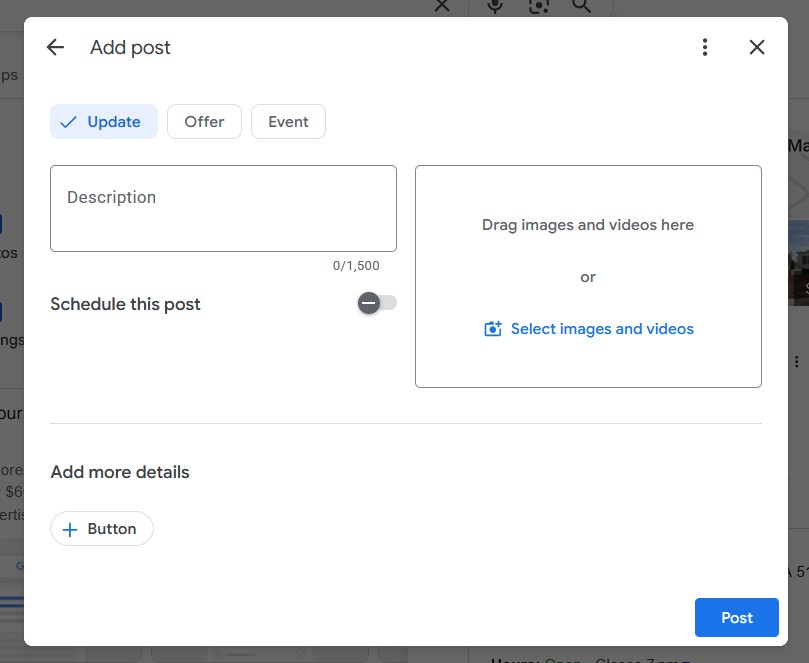
6. Add posts to your Google Business Profile
Google Business Profile posts are free and can help show that your business is active.
You can post about:
- Business updates
- Services
- Products
- Special offers
- Events
- Helpful tips
- Recent projects
- Seasonal reminders
- New website pages
When possible, add an image and a link back to a relevant page on your website.
You do not always need to link to the home page. You can also link to service pages, product pages, blog posts, project examples or contact pages.
Posting a few times a week is great if you can manage it. If that feels too much, start with once a week or a few times a month.
7. Ask customers for Google reviews
Google reviews help build trust and can support your local visibility.
Ask happy customers to leave a genuine review on your Google Business Profile.
A steady flow of real reviews over time is usually better than trying to collect many reviews all at once.
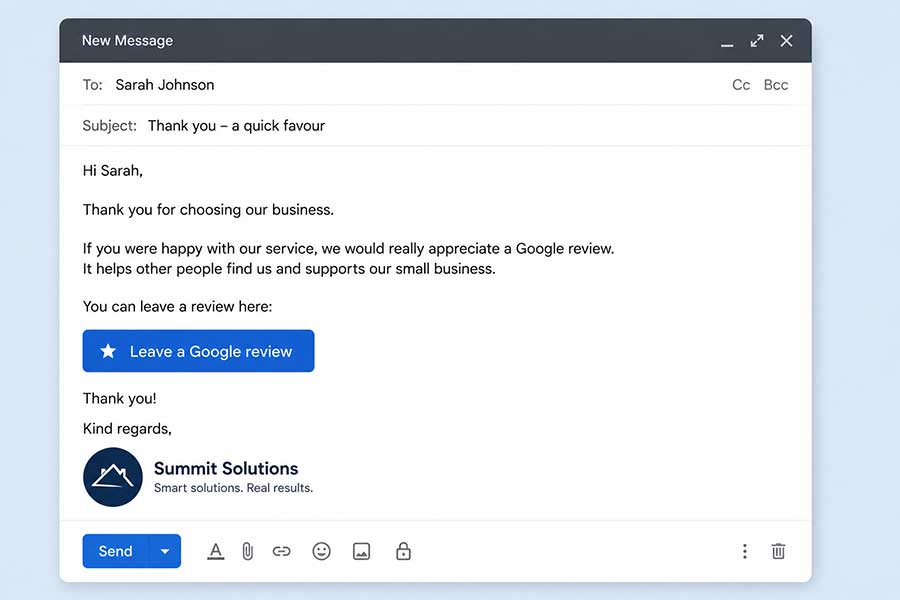
You can send customers your Google review link by email or text message.
How to find your Google review link
You can send your Google review link to customers so they can leave a review more easily.
Option 1: Find your review link from Google Search
- Open Google.
- Make sure you are signed in to the Google account that manages your business.
- Search for your business name.
- Your Google Business Profile should appear in the search results.
- Look for the business management section. This may show buttons such as:
- Edit profile
- Read reviews
- Messages
- Add photo
Option 2: Find your review link from Google Maps
- Open Google Maps.
- Make sure you are signed in to the Google account that manages your business.
- Search for your business name.
- Click on your business listing.
- Look for options such as:
- Manage your Business Profile
- Read reviews
- Get more reviews
How to test the link
After copying the link, paste it into a new browser window and open it.
The link should take people to a Google review box for your business.
If it opens the correct business and shows the review option, the link is ready to use.
Important note
Customers usually need to be signed in to a Google account before they can leave a review. This does not have to be a Gmail address, but they do need a Google account.
Example message you can send to customers
8. Update online directories
Add your business details to relevant online directories.
This can help people find your business and can also help Google see consistent information about your business across the internet.
Before adding your business to directories, prepare the following details:
- Business name
- Website address
- Phone number
- Email address
- Street address or service area
- Opening hours
- Short business description
- Services
- Business categories
- Logo
- Photos, if available
Make sure your details are written the same way across all listings.
For example, do not use different phone numbers, different business names or different address formats unless there is a good reason.
Good free directories to consider include:
| Directory | Best for |
|---|---|
| Bing Places for Business | Every local business. Helps your business appear on Bing Search and Bing Maps. |
| Apple Business | Every local business. Helps your business appear correctly on Apple Maps and Apple apps. |
| Yellow Pages Australia | Trades, health, professional services and local service businesses. |
| True Local | Trades, health, restaurants, beauty and other local services. |
| Hotfrog Australia | General small business listings. Good for adding another Australian business listing. |
| AussieWeb Local Search | General Australian businesses. Useful for adding a local business listing. |
| Yelp Australia | Hospitality, retail, health and local services. Businesses can claim or add a listing. |
| Localsearch | Trades and local service businesses. Useful for business contact details, services and locations. |
| SA Products and Services Directory | South Australian businesses, especially B2B, construction, professional services, suppliers and government work. |
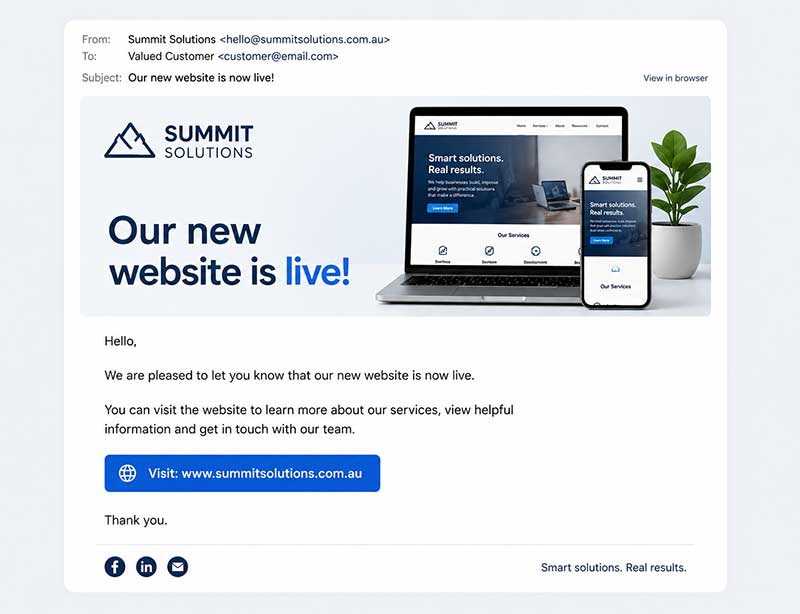
9. Send a launch email to existing contacts
If you have a customer, supplier or contact list, send a short email announcing your new website.
Give people a reason to visit the website.
For example, you could mention:
- Updated services
- New product information
- Project examples
- Online booking
- Helpful resources
- FAQs
- Downloads
- Contact information
Example:
10. Add your website link to customer communication
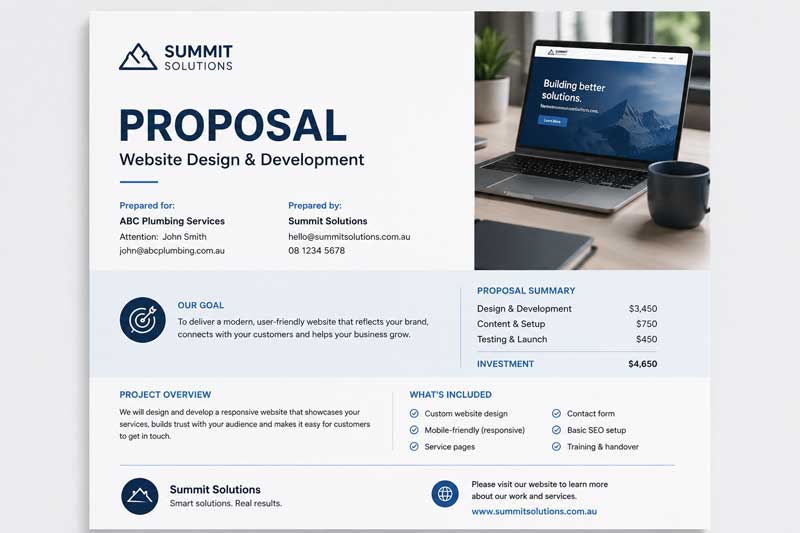
Add your website link anywhere customers, suppliers or contacts may see it.
This may include:
- Email signatures
- Quotes
- Invoices
- Proposals
- Booking confirmations
- Customer service templates
- Follow-up emails
- Brochures
- Flyers
- Business cards
- Social media profiles
When speaking with customers, you can also refer them to your website when it is helpful.
For example, you may direct them to:
- A service page
- A product page
- A project example
- A FAQ page
- A booking page
- A contact form
11. Keep adding useful website content over time
A website should not stay the same forever.
Adding useful content over time can help your website grow and give Google more information about your business, services, locations, experience and expertise.
Useful content may include:
- New service pages
- Product pages
- Resource pages
- Blog posts
- FAQs
- Project examples
- Case studies
- Helpful guides
- Location-based pages
- Customer education pages
- Industry insights
- Answers to common customer questions
For B2B businesses, useful content may also include information about:
- Capabilities
- Industries served
- Project experience
- Processes
- Compliance requirements
- Accreditations
- Equipment
- Service areas
- Types of clients you work with
This content should be helpful, accurate and written for your customers first.
We can work with you to identify content opportunities that support your website, improve the user experience and help build visibility over time.